当我们看小说或文章时,眼睛长时间盯着屏幕很干涩,我们可以开启语音朗读功能,这样就能把内容像讲故事一样给我们读出来。那么opporeno5pro怎么语音朗读呢?
品牌型号:opporeno5pro
系统版本:ColorOS 11.1
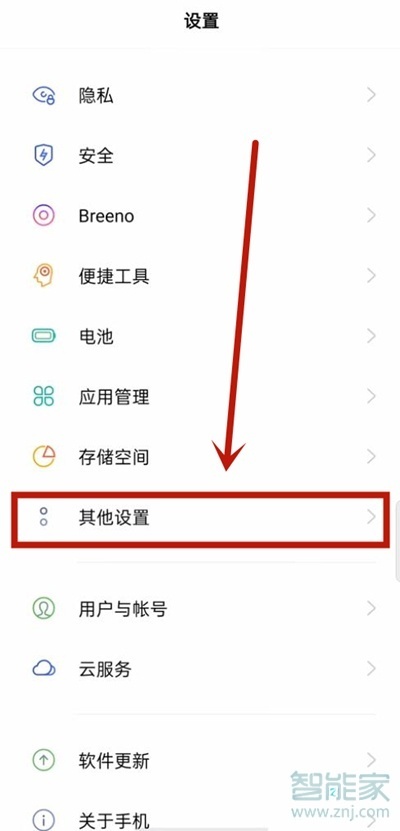
opporeno5pro怎么语音朗读1、打开手机设置,点击【其他设置】,
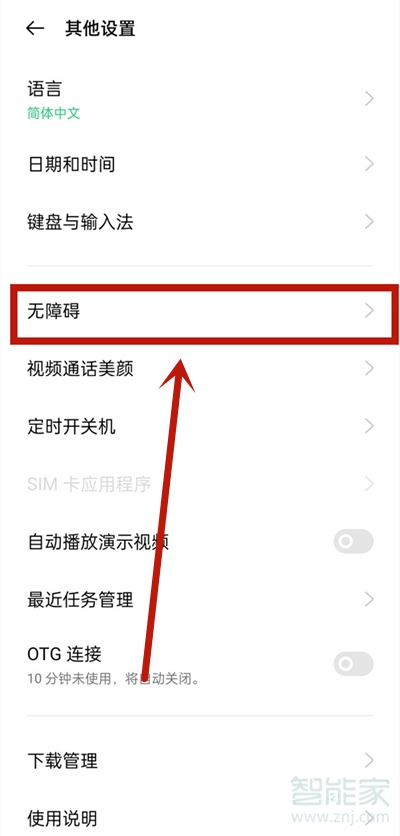
2、点击【无障碍】,
3、将【随选朗读】开启,
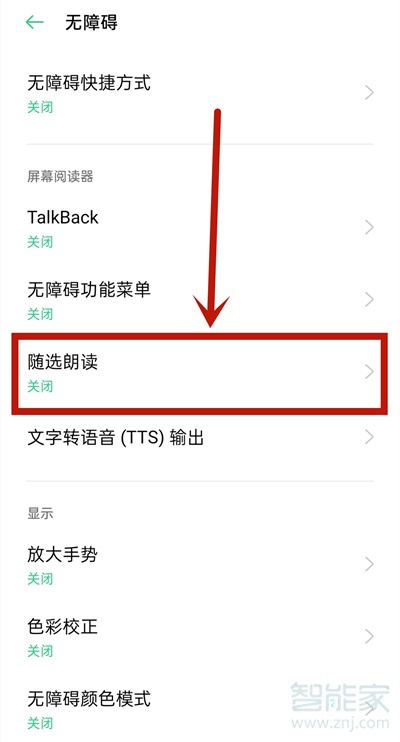
4、开启后用户点按屏幕内容,系统将自动进行语言朗读。

以上就是乐呵呵网小编给大家带来的“opporeno5pro怎么语音朗读”的全部内容,了解更多智能资讯尽在乐呵呵网!(m.rkxy.com.cn)