定位在日常生活中用得比较多,出门一趟基本上能用到地图,点个外卖也要用到定位,那opporeno5pro+怎么打开定位?一起来看看吧~
品牌型号:opporeno5pro+
系统版本:ColorOS11.1
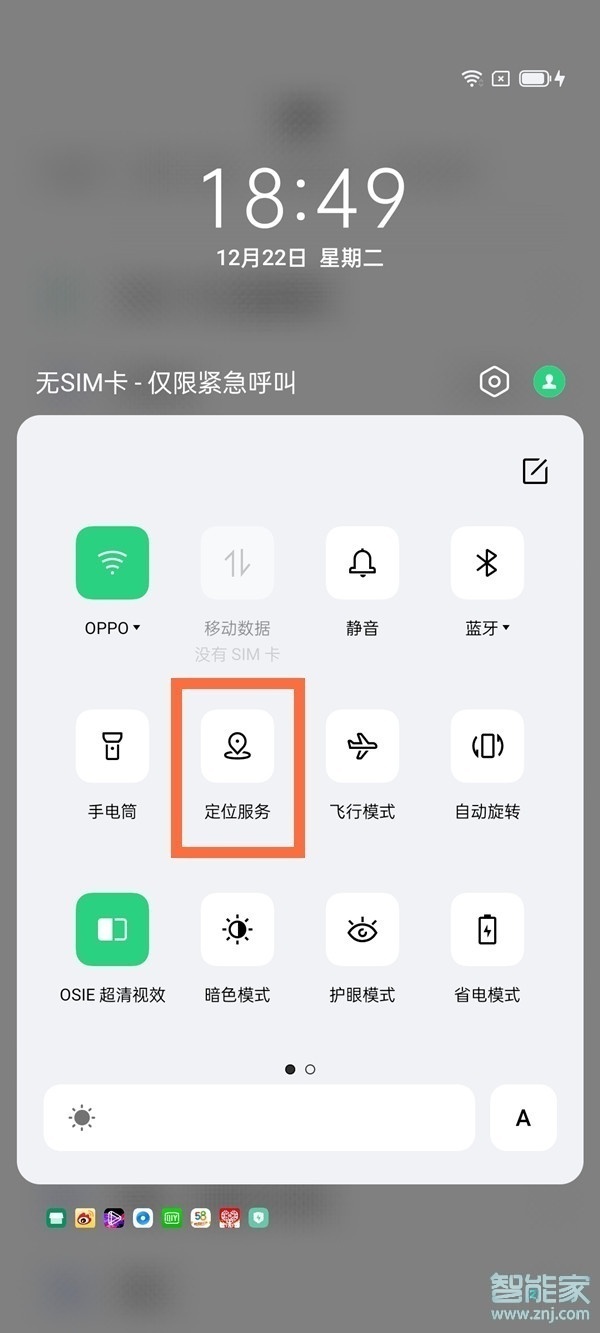
opporeno5pro+怎么打开定位?1、从屏幕顶部下拉呼出状态栏,点亮定位图标即可。
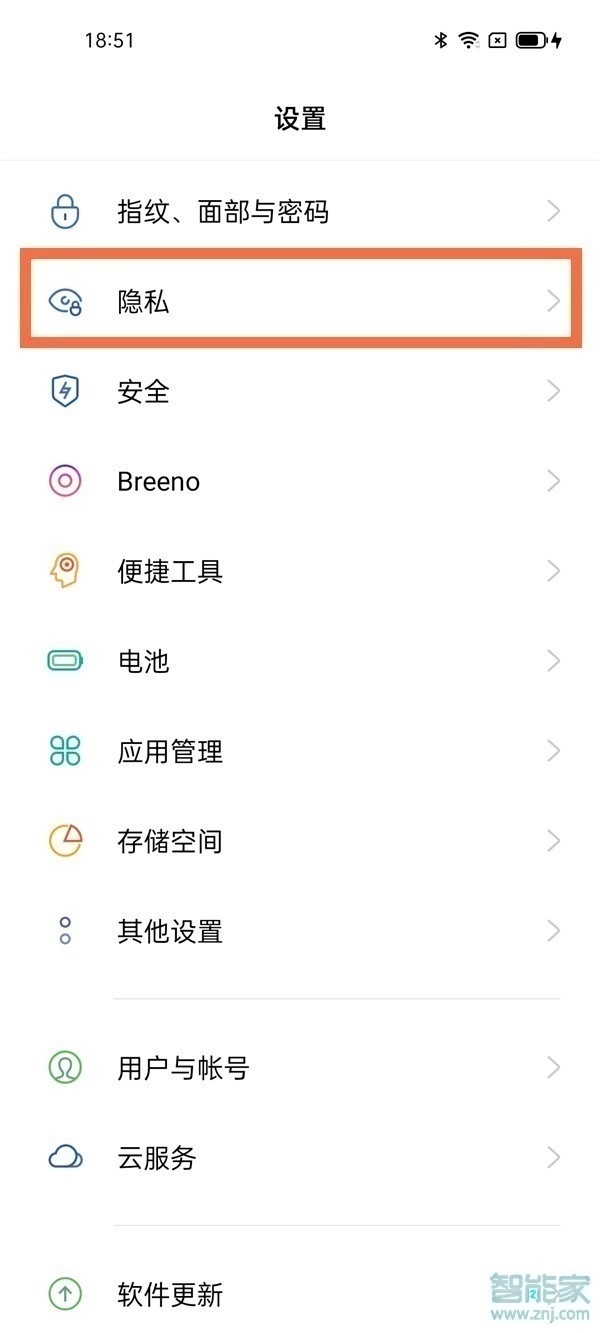
2、或者打开设置,点击【隐私】。
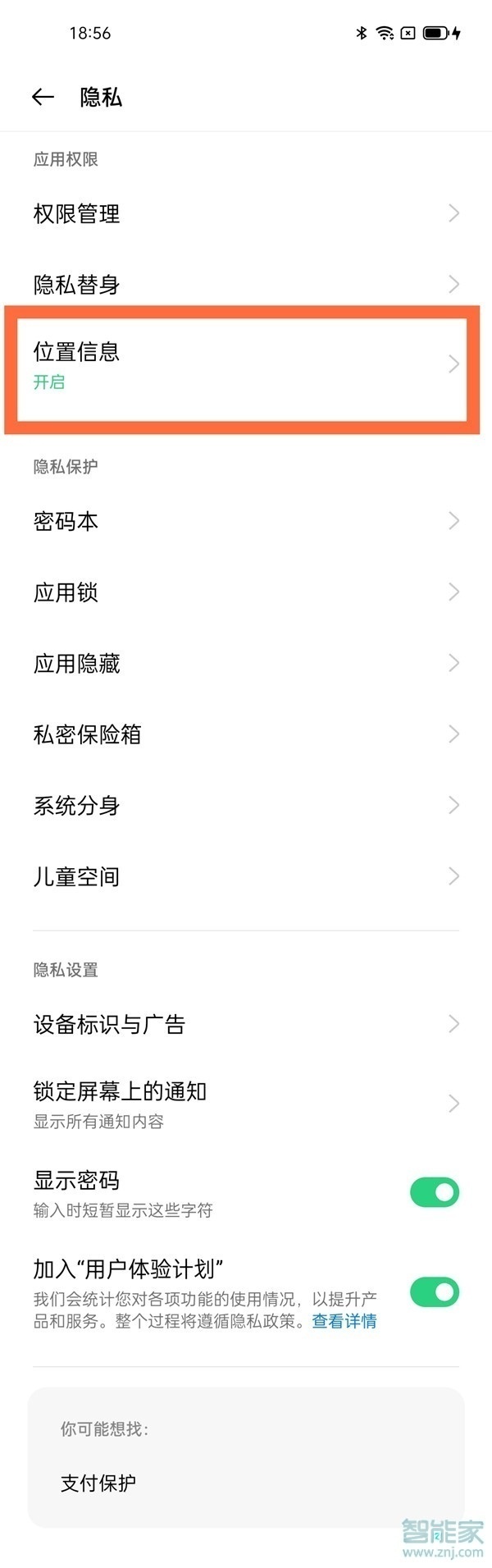
3、点击【位置信息】。
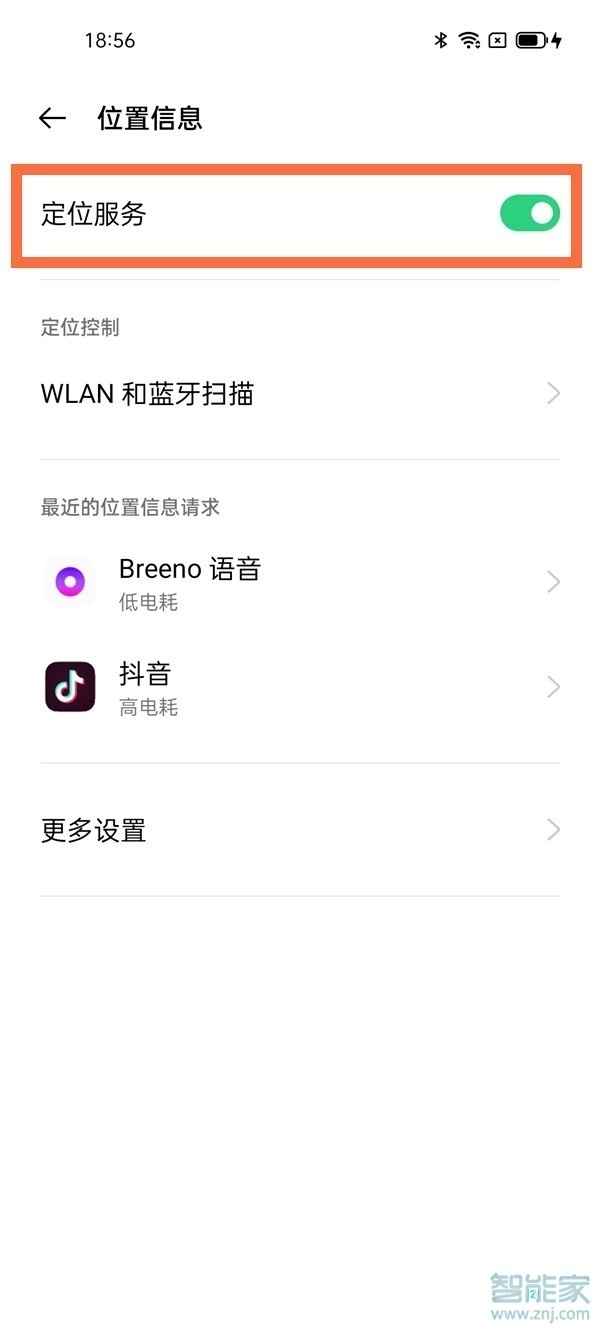
4、将【定位服务】开启即可。
以上就是乐呵呵网小编给大家带来的关于“opporeno5pro+怎么打开定位”的全部内容了,了解更多智能资讯尽在乐呵呵网(m.rkxy.com.cn)!