iPhone xs怎么快速打开ApplePay_苹果iPhone xs打开ApplePay方法教程iPhone xs怎么快速打开ApplePay_苹果iPhone xs打开ApplePay方法教程

浏览:6日期:2024-01-13

iPhone xs怎么快速打开ApplePay?很多小伙伴们都还不知道,下面小编为大家整理了苹果iPhone xs打开ApplePay方法教程,一起来看看吧。

iPhone xs怎么快速打开ApplePay

第一步:

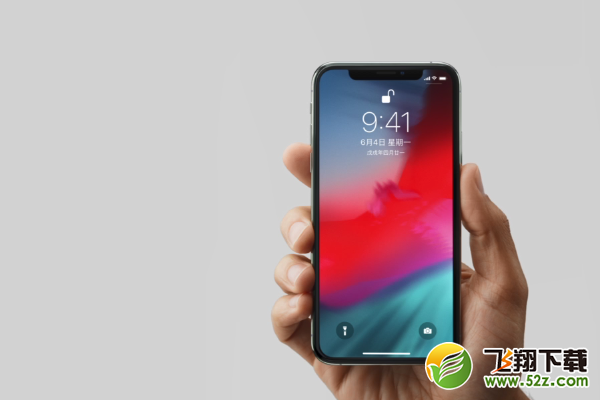
用面部识别解锁手机。
iPhone xs怎么快速打开ApplePay_苹果iPhone xs打开ApplePay方法教程iPhone xs怎么快速打开ApplePay_苹果iPhone xs打开ApplePay方法教程

第二步:

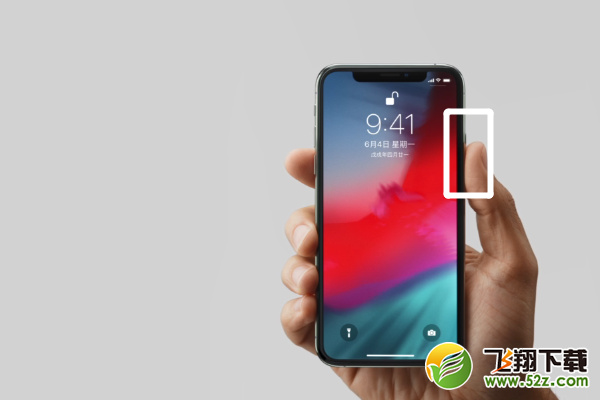
连按两下侧边按钮,就可以打开ApplePay的支付界面。

iPhone xs怎么快速打开ApplePay_苹果iPhone xs打开ApplePay方法教程iPhone xs怎么快速打开ApplePay_苹果iPhone xs打开ApplePay方法教程

第三步:

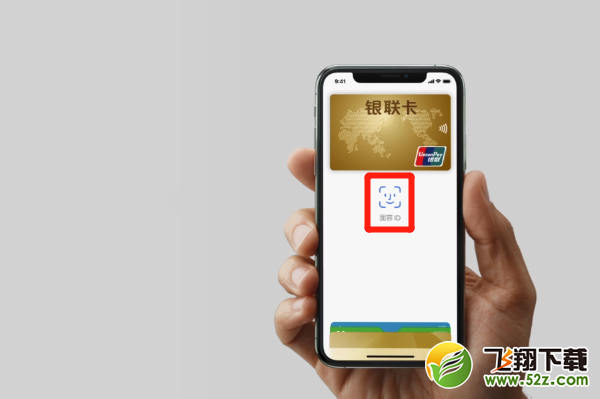
下面是打开之后的页面显示,点击【面容ID】进行面部识别就可以使用ApplePay支付了。
iPhone xs怎么快速打开ApplePay_苹果iPhone xs打开ApplePay方法教程iPhone xs怎么快速打开ApplePay_苹果iPhone xs打开ApplePay方法教程

以上就是小编为大家带来的苹果iPhone xs打开ApplePay方法教程全部内容!有需要的玩家千万不要错过哦!

相关文章: