iPhone xs3dtouch在哪儿 iPhone xs3dtouch打开方法介绍

浏览:7日期:2024-01-04

iPhone xs3dtouch在哪儿?不少网友还不是很清楚吧,下面小编就给大家带来iPhone xs3dtouch打开方法介绍,希望对大家有所帮助!

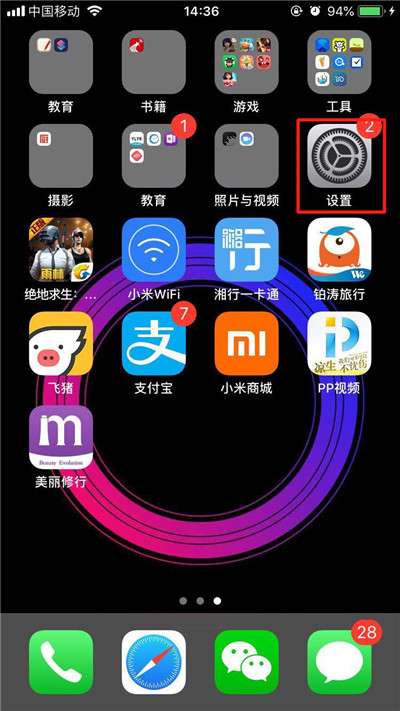
第一步:

返回手机桌面,找到【设置】,点击进入。
iPhone xs3dtouch在哪儿 iPhone xs3dtouch打开方法介绍

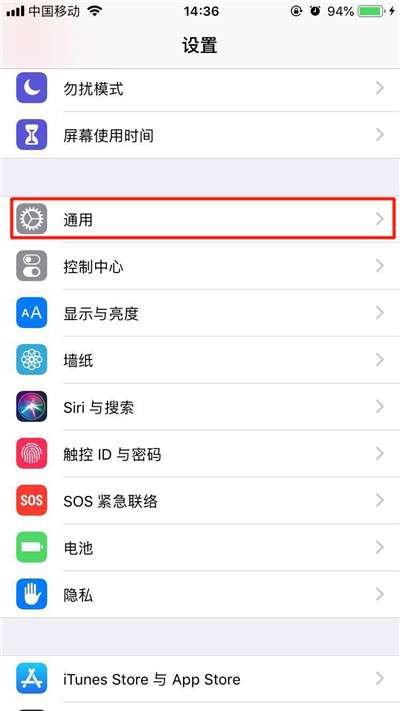
第二步:

往下滑动屏幕,找到【通用】选项,点击进入。

iPhone xs3dtouch在哪儿 iPhone xs3dtouch打开方法介绍

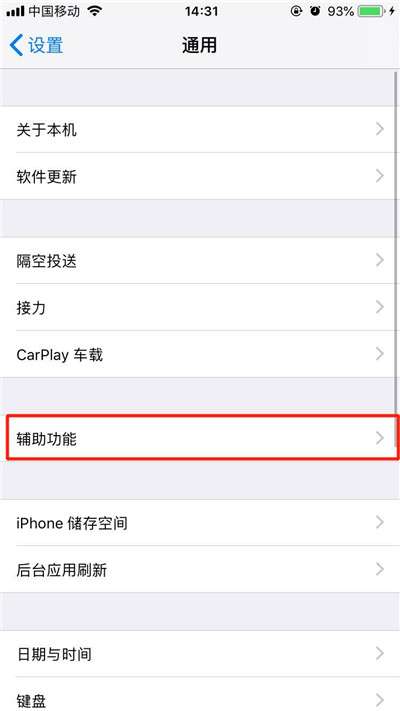
第三步:

点击【辅助功能】选项。

iPhone xs3dtouch在哪儿 iPhone xs3dtouch打开方法介绍

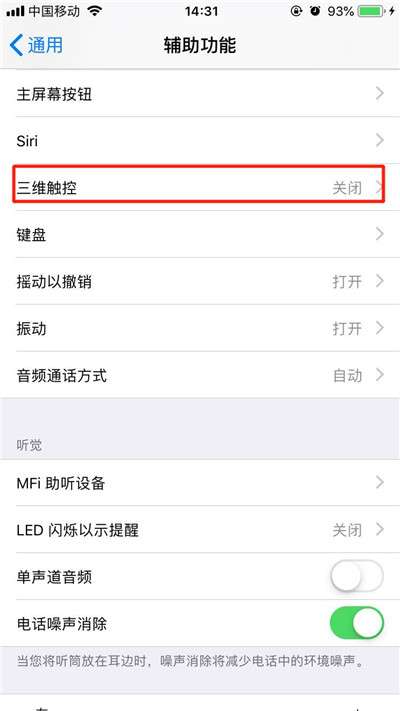
第四步:

手指下滑菜单选项,找到【三维触控】,点击打开。

iPhone xs3dtouch在哪儿 iPhone xs3dtouch打开方法介绍

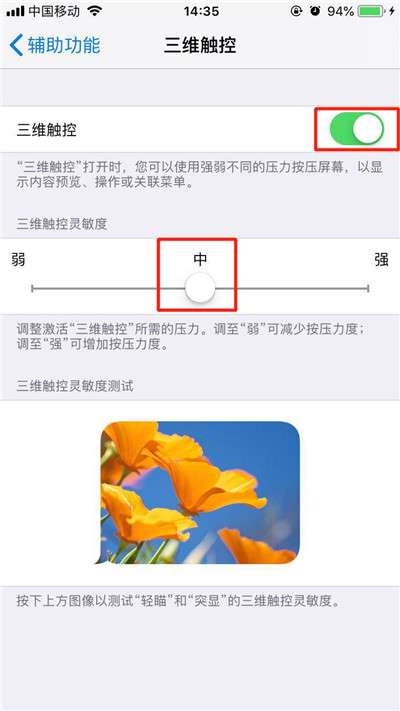
第五步:

点击【三维触控】右边的按钮开启,然后调节手指按压力度,建议大家调节为中即可。
iPhone xs3dtouch在哪儿 iPhone xs3dtouch打开方法介绍

好了,以上就是关于iPhone xs3dtouch打开方法介绍,对大家有所帮助!

相关文章: