使用oppofindx的时候遇见了一些情况,需要恢复到出厂设置,该怎么恢复呢?下面流程就带来了将oppofindx恢复为出厂设置的具体操作步骤。
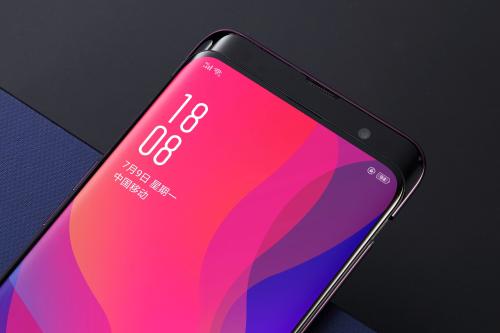
第一步:我们进入oppofindx手机桌面,然后点击进入设置
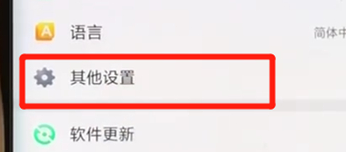
第二步:点击其他设置,点击还原手机
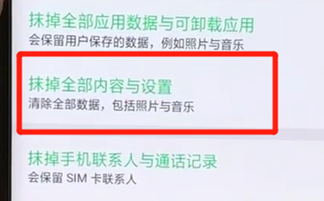
第三步:点击抹掉全部内容与设置即可
按照上文讲述的将oppofindx恢复为出厂设置的具体操作步骤,伙伴们自己也赶紧去恢复吧!


使用oppofindx的时候遇见了一些情况,需要恢复到出厂设置,该怎么恢复呢?下面流程就带来了将oppofindx恢复为出厂设置的具体操作步骤。
第一步:我们进入oppofindx手机桌面,然后点击进入设置
第二步:点击其他设置,点击还原手机
第三步:点击抹掉全部内容与设置即可
按照上文讲述的将oppofindx恢复为出厂设置的具体操作步骤,伙伴们自己也赶紧去恢复吧!
相关文章:1. 苹果将遵守欧盟USB-C充电法:iPhone用上Type-C2. 荣耀X40 GT怎么设置拿起手机亮屏 手机亮屏设置教程3. Redmi Note 12 Pro支持影像大脑 成像风格等有大进步4. 红米Note 12 Pro+发布 搭载2亿像素HPX旗舰大底5. hinova10预计什么时候上市 nova 10 5G手机发布时间6. 华为发布新款MateBook D14 SE 首发价格3999元7. 华为pockets什么时候发布 华为pockets发布会时间8. 华为p60手机什么时候上市 华为p60pro上市时间曝光9. ios16.1正式版新增了什么功能 新功能升级方法介绍10. 荣畅玩40 Plus价格1199元 搭载6000mAh大电池